
Anonymize a video in minutes
Blurly helps journalists, HR teams, lawyers and researchers anonymize recordings: hide faces, names on screen and even disguise the speaker's voice.
Free to scan & preview · No account · Pay only to download
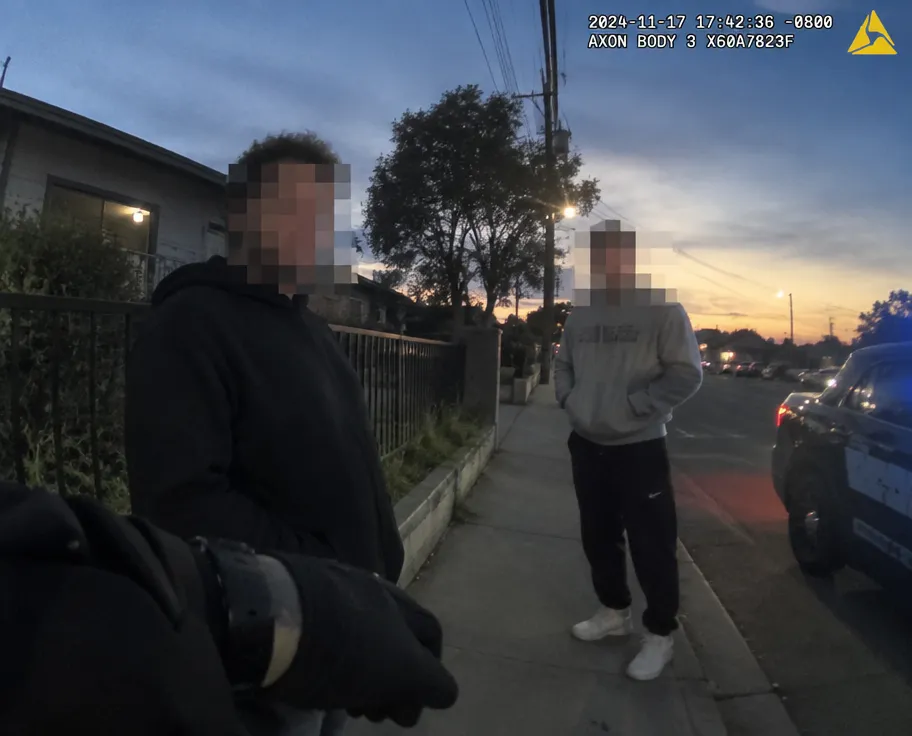
How to anonymize video
- Upload your video (up to 2 minutes). No account needed.
- Type what to hide, for example "blur all faces and identifying details".
- Blurly's AI scans every frame and tracks the areas as they move.
- Fine-tune blur, pixelation or a solid cover in the free preview, then download.
Voice disguise
Change the speaker's pitch or remove the sound completely.
Hide any detail
Faces, name badges, documents, logos — just describe them.
Auto-deleted
Your video is deleted automatically after you download it.
Questions
Can Blurly disguise a voice?
Yes. Voice disguise is an optional add-on that shifts the pitch so the speaker is harder to recognise.
Is this suitable for GDPR requests?
Blurly helps you remove identifying details before sharing. Always review the preview before publishing.
Do I need an account?
No. Upload, preview and pay only if you download.